![Zivid-Labs-Logo.jpg]](https://4343130.hs-sites.com/hs-fs/hubfs/Zivid-Labs-Logo.jpg?height=40&name=Zivid-Labs-Logo.jpg)
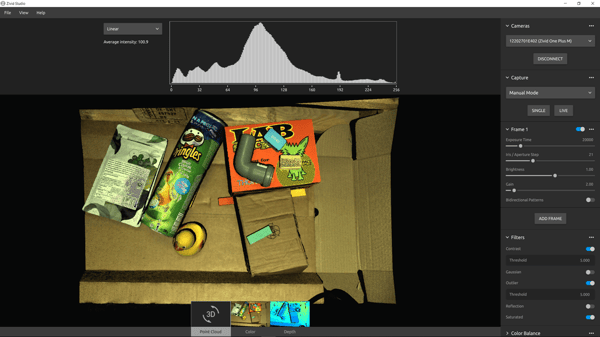
The Zivid camera projects white light onto the objects to be imaged and relies on this light being reflected back into the camera to capture a 3D image. The camera therefore, has limitations in capturing images with certain types of objects.
Disqualified cases
The following cases do not work with Zivid cameras:
- Mirrors or very shiny mirror like objects
These objects do not work with Zivid cameras as the light from the mirror like surface reflects reflects back into the sensor creating blooming effects or white spots. This is the same as trying to take a selfie with your phone aimed directly at the mirror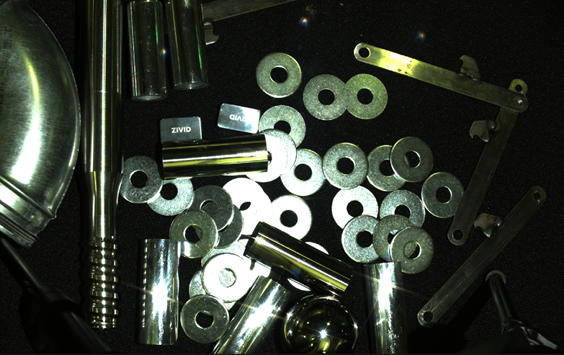
- Transparent objects
Objects like clear plastic will scatter the light projected by the camera in multiple directions resulting in an inaccurate point cloud. Translucent objects may be possible to image and needs to be evaluated on a case by case basis. Contact CSU if you would like to request an image study.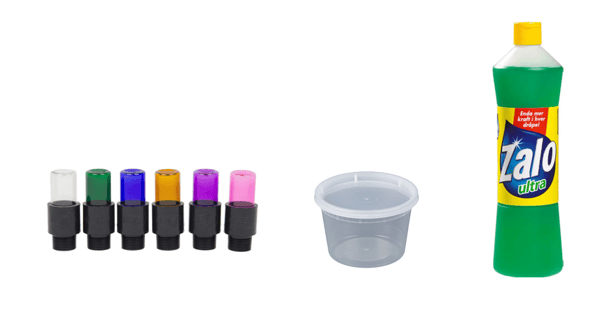
- Moving objects
Because of the structured light technology used in the camera, the object needs to be completely still for the duration of a capture (min. 80 ms) to create an accurate 3D point cloud. If this is not possible, the use case is not a fit for the Zivid camera. - Strong Ambient lighting
If strong ambient lighting is present in the scene, e.g. being outdoors or using fluorescent lamps, this interferes with the light patterns projected by the Zivid camera and results in a poor point cloud. The Zivid camera works best when the projector brightness is dominant and not overpowered by other light sources. Maximizing projector brightness can help mitigate the effects of strong ambient lighting to some extent.
Possibly qualified cases
The following cases work with Zivid cameras but create artifacts and other phenomenon that may disqualify the Zivid camera for the application.
- Highly reflective bins
Reflective bins containing reflective objects can cause the projected light to bounce off the bin walls resulting in an inaccurate point cloud.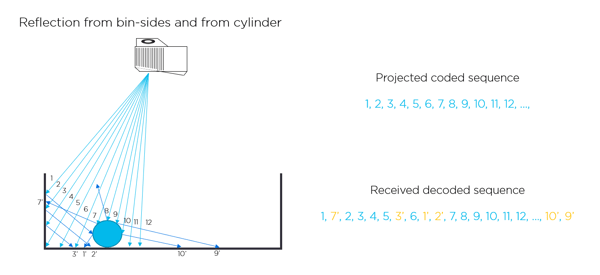
Always use the reflection filter to mitigate the effect of bin wall reflections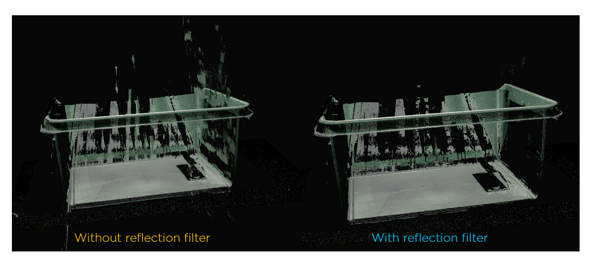
Changing the angle of the camera may also help to reduce blooming effects.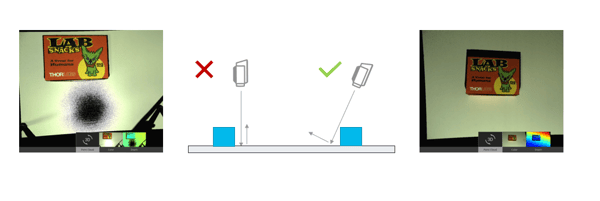
Well qualified cases
The Zivid camera works very well with the following use cases:
- Industrial metallic objects
All rough and brushed metallic objects diffuse the projected light evenly back into the camera and generate a high quality 3D point cloud. - Dark colored and black objects
Dark and black colored objects work very well with the Zivid cameras and produce high quality point clouds - Light and multi colored objects
Zivid cameras are full color, and generate high quality full color 3d point clouds of multi colored objects